

File organization
Make folders easy to recognize
Use colors, symbols, emoji or image stickers to distinguish folders.
Where to find it
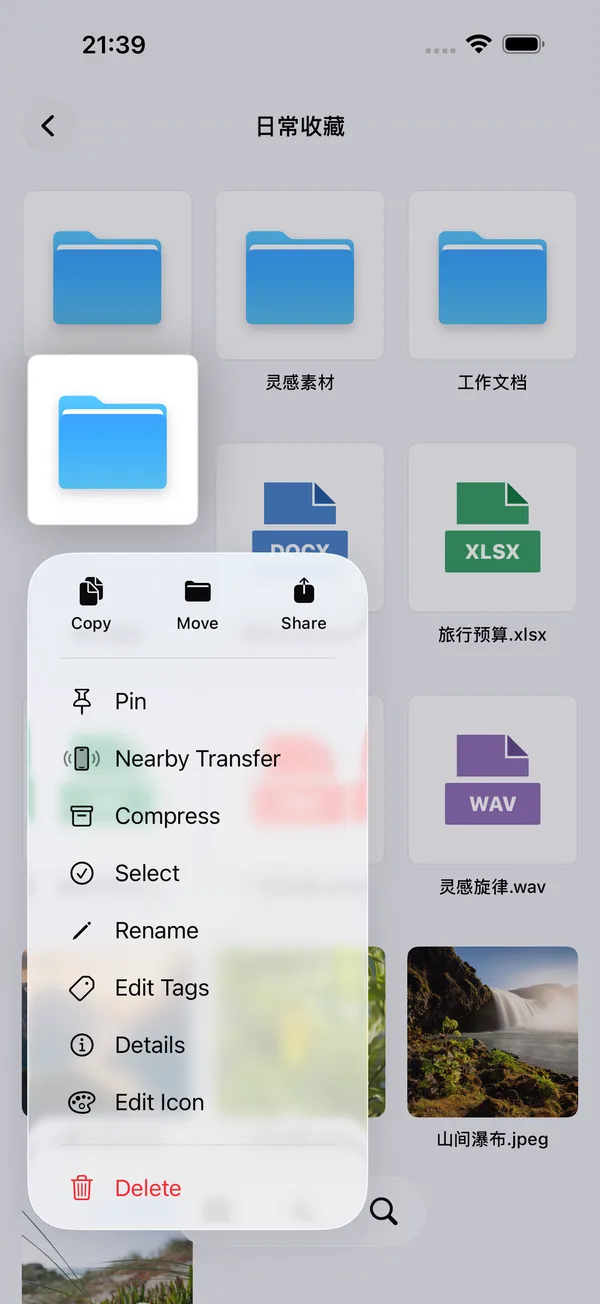
Folder context menu → Edit icon
What you can do
Use colors, symbols, emoji or image stickers to distinguish folders.
How to use it
- Long-press a folder and choose Edit icon.
- Choose a color and symbol, or use an emoji or image sticker.
- Save the appearance; frequent combinations can be saved as templates.
Before you start
Appearance changes do not modify folder contents. Folders can also be pinned from their context menu.