

File transfer
Transfer files from a computer browser
Upload, download, manage and preview FileBox files over your local network.
Where to find it
File page More menu → Wi-Fi transfer
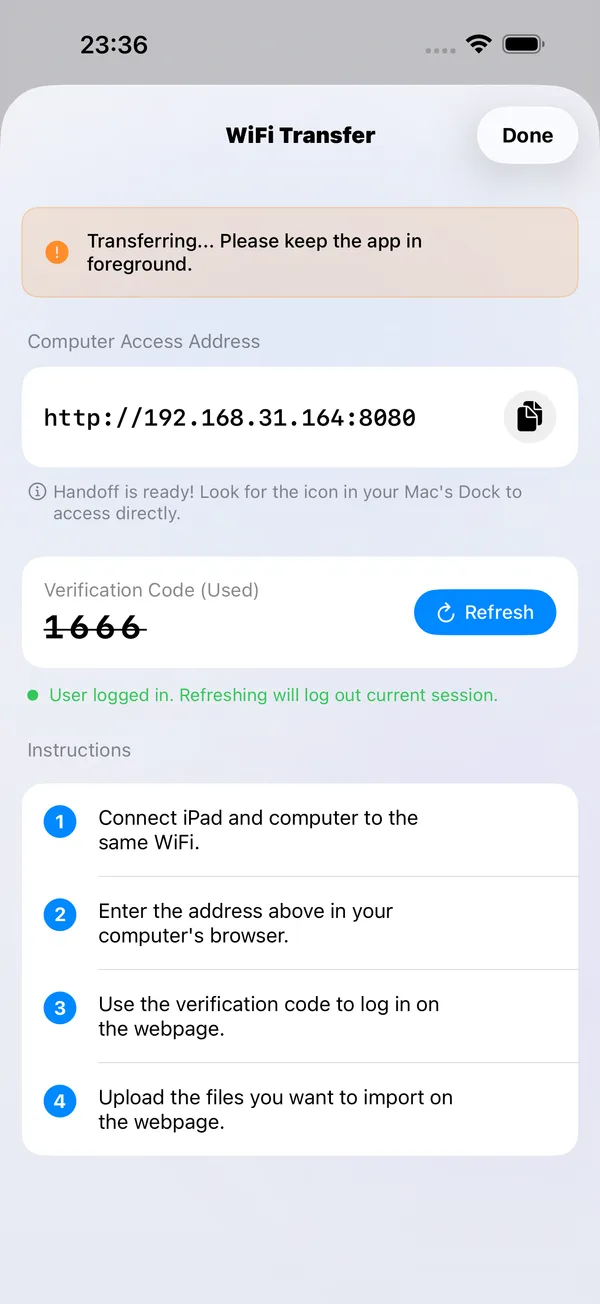
What you can do
Upload, download, manage and preview FileBox files over your local network.
How to use it
- Connect your phone and computer to a local network where they can reach each other.
- Enable Wi-Fi transfer in FileBox and open the displayed address in your computer’s browser.
- Sign in with the verification code to upload, download or manage files.
- Stop the service in the app when finished.
Before you start
This is a local-network service running on your device, not cloud storage. Use the address and verification code shown in the app.